GROUND
LOG
.io

GroundLog is a field compliance platform for environmental inspection and construction-compliance work: daily logs, photos, field maps, progress tracking, and inspection reports. It is operated by GroundLog LLC, Pennsylvania, USA. The full Terms of Service and Privacy Policy are at groundlog.io/terms and groundlog.io/privacy, and are always available from Settings → Account.
GroundLog is intended for professional use by adults. Keep your sign-in credentials secure; you are responsible for activity under your account. You can delete your account and its data at any time from Settings → Account → Data.
When you use GroundLog, we collect and store:
Data is stored on Google Firebase infrastructure and is transmitted over HTTPS.
You own the content you enter. Data lives under your own account unless you share it: work you publish or submit to a shared project becomes visible to that project's members according to their role. Personal notes never leave your account. Removing a member ends their access going forward.
Your data is used only to operate GroundLog for you. We do not sell it, license it, use it for advertising, or train AI models on it.
AI report polishing and generation are optional. When you use them, the relevant field-log text is sent to the Anthropic Claude API to produce your draft, and is not retained or used for training by Anthropic under its API data policy. You can use your own API key or GroundLog's, as configured in Settings.
GroundLog is a documentation tool. You are responsible for the accuracy and completeness of what you enter and for reviewing every generated report before it is submitted to any agency, owner, or client. GroundLog does not provide regulatory or legal advice and does not replace the record-keeping your permits require.
Use GroundLog lawfully. Do not attempt to access other users' data, interfere with the service, or upload content you do not have the right to use.
We work to keep GroundLog available and keep daily backups, but the service is provided "as is" and "as available" without warranties of any kind. To the fullest extent permitted by law, GroundLog's liability is limited to the amount you paid for the service in the twelve months before a claim.
We may suspend accounts that violate these terms. We will notify you in the app of material changes to these terms; continued use after a change means you accept it.
Questions or concerns: support@groundlog.io
These terms are governed by the laws of the Commonwealth of Pennsylvania, USA.

| Date | Hours | Per Diem | Miles | Mil. $ | Activity Summary |
|---|
Tap the project name in the app bar to switch projects or create a new one. Edit this project's details below — changes save across all devices. Active Contractor sets the default; you can clear or change it per day directly on the log.
Set the active construction scope, then manage the phase tags available as the project progresses. The current activity appears on daily logs and generated reports; each preset is tagged to one phase.
Which state's rules this project runs under. Pick a preset, adjust anything, Save. Every project starts Neutral (federal facts only) until a lead sets this; the spill form, agency visits and QI inspections follow it.
Everyone on the active project. Invite someone with a link, code, or QR — they see what's published to the project, never your personal notes. Roles set what people can do, not what they can see.
Quick-insert observation bullets for the Inspection Summary field.
Manage items for the Compliance Checklist card. Checked items with notes will be included in the report.
Manage items for the Regulatory & Incident Flags card. Checked items trigger a report warning.
Standard directives, reminders, and communication templates.
Common next-day anticipated work items.
Customize the title of each card in the daily log. Changes sync across devices and update the card header and any linked settings section instantly.
Titles for this project's crew blocks (a line, an array, a phase, an area). With titles here, every crew block gets a picker on top and the title leads the block's heading in the report. With none, crew blocks stay as they are.
One line per company with what they do here. On site names join the daily log's Active Contractor line; every company and contact becomes a pick in the crew-block and drawing contractor fields (free text still works). Descriptions and contacts are for reference only and never print on the report.
Quick-insert activities for crew block "Activities Observed" fields.
Quick-insert compliance observations for crew block "Env. Compliance" fields.
Enter your Anthropic API key once to enable one-tap AI report generation. The key is encrypted and stored in Firestore — works across all your devices.
Logo and colors for every export of this project: daily reports, punchlist, agency visits, and the XLSX trackers. Every member's exports match. A project lead saves it; a saved branding can be reused on your next project.
Optional. Only the field report form layout prints it (first logo left, second logo right). Use a logo only where its owner has agreed to it.
Fonts apply to the daily report. Headings are the section bands and sub headings; text is the fields and paragraphs. Preview sample PDF shows the pair.
Short project (or project + inspector) name used by {tag} below. Spaces are kept. Blank = the full project name.
Tokens: {date} = YYYY-MM-DD · {tag} = the tag above · {project} = project name · {n} = your running daily-report number. Anything else is typed as-is. Today would be:
The daily log is where the day is entered; this picks how it prints. Standard is the daily report as it has always printed. The field report form prints the day on an owner-issued form: weather boxes, one block per crew, a closing general block and a photo log two per page. A project lead sets it; every member's daily report of the project follows.
Each export follows the project branding above unless you pick something else here — e.g. the daily report branded for the client while the seeding export stays GroundLog. Picks save immediately. The QI report defaults to Office blue on projects that froze it.
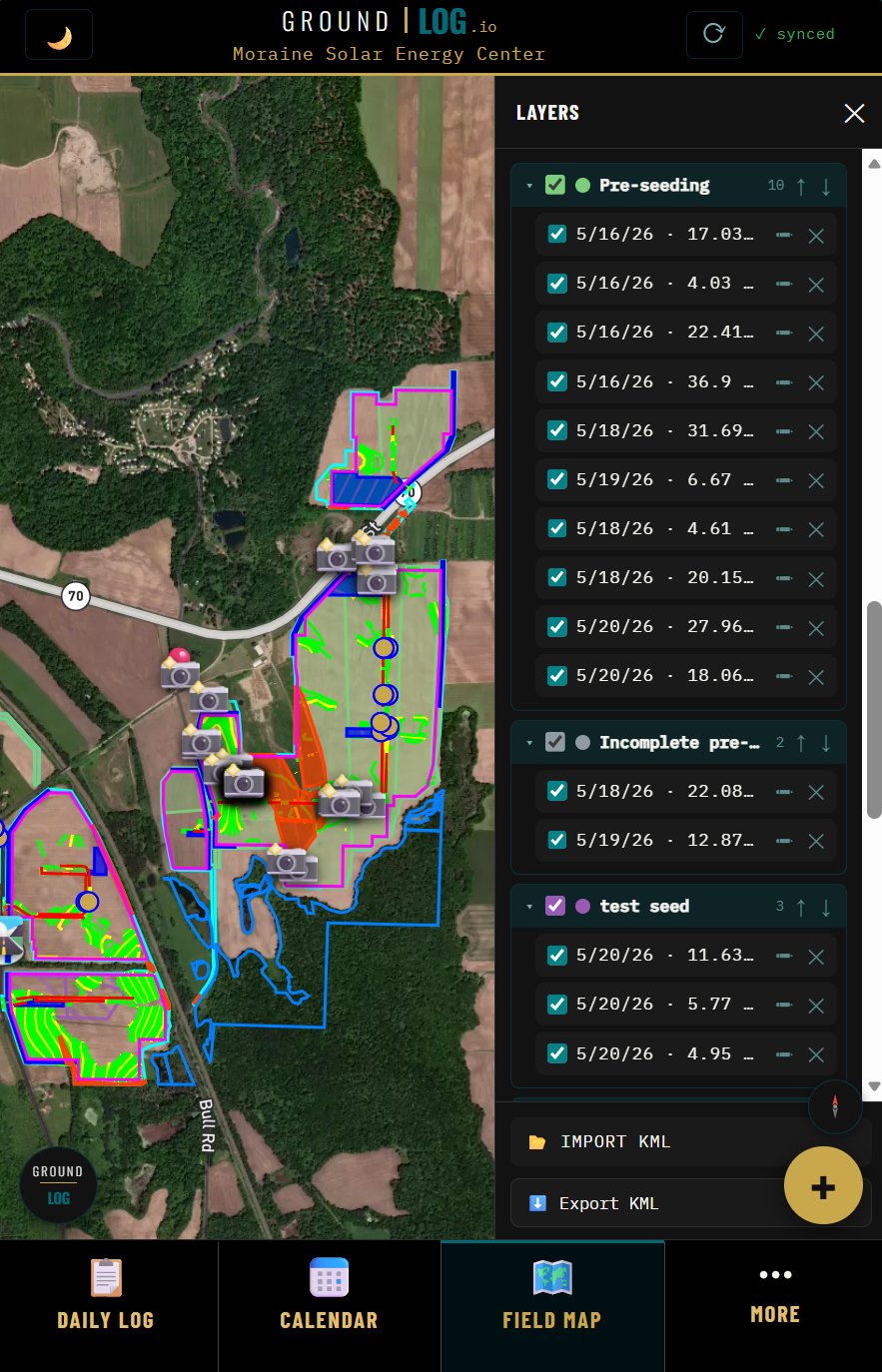
Configure the Field Map. Paste your Mapbox public token below to enable the map.
The same options as the ⚙ on the camera itself, kept here so they can be found. They are yours (not the project's) and follow you across devices. The stored photo is always clean: the stamp is drawn when a photo is shared or exported.
Per-project seeding rules: where you're seeding × temporary/permanent × time of year → the seed mix, rate, mulch, and fertilizer the project documents call for autofill on tracker entries, with spec citations and field-practice substitutions shown right on the form. Paste the project's seeding-specs JSON once — set it and never look it up again.
Bag weights: one line per material — seed mixes, lime, fertilizer (how many lbs a bag holds). Tag photos then track their own remaining pounds — each tag photo's capacity is tags-in-photo × bag weight, drawn down by the entries it's attached to.
Customize the dropdown options for Application Phase and Application Method. These are project-specific — each project can have its own list.
Configure your timesheet defaults. Values apply to all timesheet calculations and persist through resets.
Open Items carry from day to day until you check them off. The daily summary notification tells you how many are open (and due) so you can review them while filling out the basics each morning. Per-item reminders are set on each item in the 📌 card.
The daily summary announces itself with the GroundLog voice; item reminders use the stake-taps. Off = notifications still show, silently.
Scheduled notifications fire on the iOS app (even offline). On the web you'll get the in-app summary when a new day starts.
Rules you control. When one fires it becomes a ⚡ priority Open Item and, on the iOS app, a notification. Project alerts are set by the lead and reach everyone on the project; anyone can silence one on their own device. Personal alerts are yours alone. Rain rules use the same IEMRE site rainfall and Open-Meteo outlook as the daily log; a forecast rule of your own replaces the built-in 0.5" post-storm item.
Alerts are evaluated when the app is open (boot, new day, weather refresh). Alerts while the app is closed need server push — on the roadmap.
Defines the opening sentence of the assembled system prompt — the AI's understanding of the report context. These fields shape every polish before tone, terminology, or structure rules apply.
Three structured controls plus a free-text notes field. Each setting flows into the assembled system prompt as a STYLE RULE the AI follows on every report polish.
Three lists that flow into the assembled prompt as TERMINOLOGY rules. The AI uses them to enforce house-style word choices during polish.
Each report section gets its own AI instructions on what to write and how. Tap a section to expand and edit. Changes flow into the OUTPUT SECTIONS block of the assembled prompt on every report polish.
Anything you write here is added to the system prompt the AI sees when polishing your reports. Use this for project-specific rules or guidance that doesn't fit the structured fields below (coming in upcoming stages).
This is the assembled system prompt sent to Claude on every report generation. Updates live as you edit. Read-only.
Each Save creates a new version. Past versions are read-only history — you can View any version's assembled prompt, Revert to one (which creates a new version with that content), or Delete a version from the historical record. Your current saved state is unaffected by deletes.
Signing out clears your session on this device. Your data remains saved in GroundLog.
Your display name appears on reports and logs. Email is set by your sign-in provider and cannot be changed here.
Your name, credential and organization stamp onto every SWPPP inspection you create, on any project, and print in the report header and certification. A project's own report setup fills in anything you leave blank.
This device: —
Choose your preferred color scheme. System follows your device setting.
Verify your email address or update your password if you use email sign-in.
You can sign in with any linked method. At least one must stay linked at all times.
Before a daily log is reset, replaced by another device, or filed over an earlier version, GroundLog keeps a safety copy: on this device and in your account. The app never deletes them. Restoring one files your current log first, so nothing is lost either way.
How long this app took to become usable on this device (last open), main-thread stalls, and the camera/compass log. Stored on this device only. Share it with GroundLog support if something feels slow.
The terms you accepted at sign-up and how your data is handled.
Permanently deletes your GroundLog account and all associated data. This cannot be undone.